How to use a weight distribution hitch: hooking up every trip
Shop stepsReading span: 4 minchecked November 28, 2026by the editorial desk
How to use a weight distribution hitch once it is set up: couple the trailer to the ball, raise the tongue jack until the spring bars reach their brackets, pin them, then retract the jack so the bars take the load. Safety chains, breakaway cable and wiring come last. Unhooking runs the same steps backward, and the jack always takes the tension off first.
On the ticket
Back the ball under the coupler, lower the coupler onto it and lock it. Put the spring bars in the head, raise the tongue jack until the bars swing onto their brackets, pin them and retract the jack fully. Connect safety chains, breakaway cable and the 7-pin plug, remove the chocks. To unhook, chock, unplug, then jack the tongue up before you touch the bars.
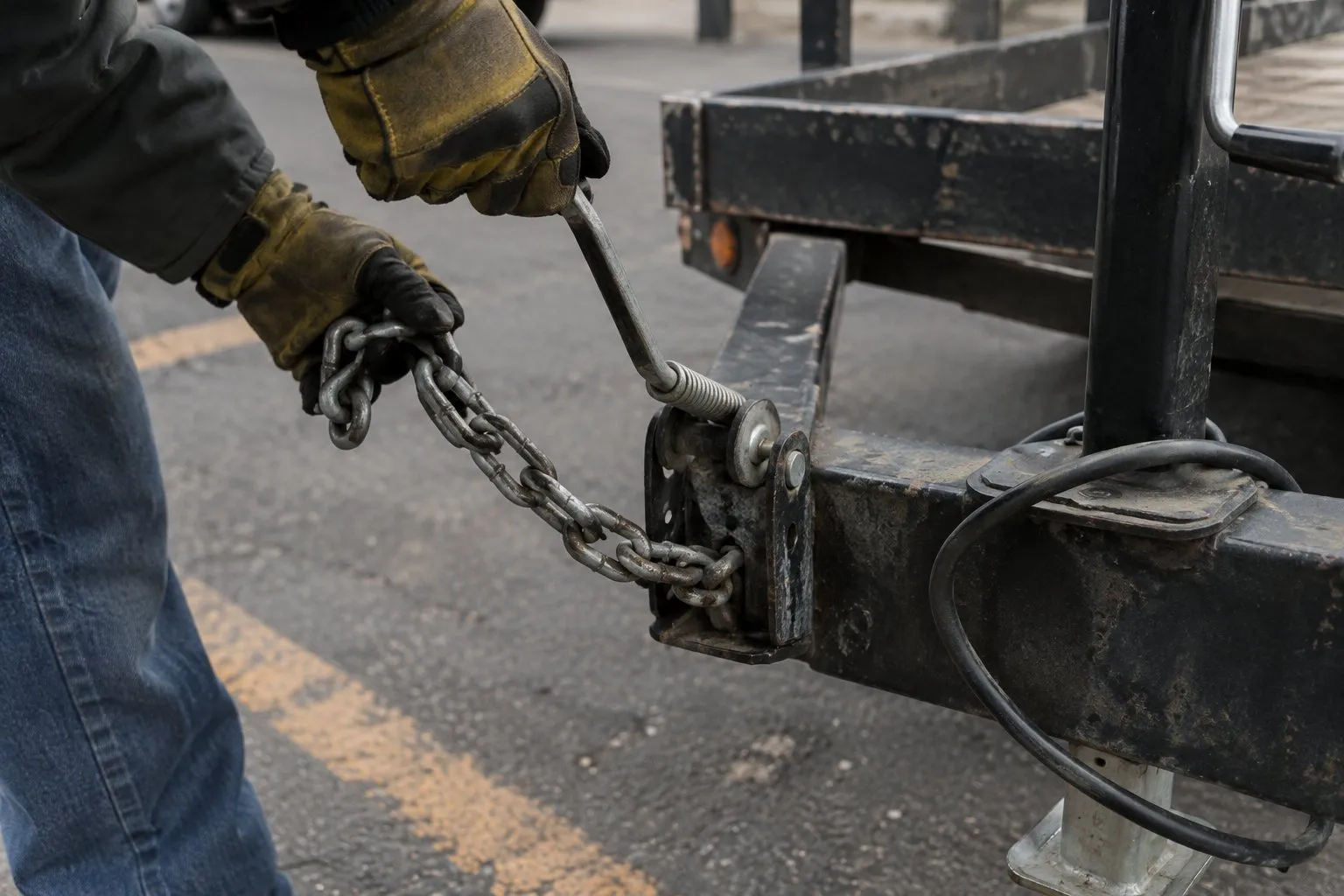
Before the first hook-up: set up once, then repeat
This routine assumes the hitch is installed and set to your truck maker's target. If you have not measured the fender heights yet, start with how to set up a weight distribution hitch. After that, hooking up takes the same few moves every time, and you only go back to the washers and brackets when the load or the truck changes, as described on weight distribution hitch adjustment.
What you need at the trailer: wheel chocks, the tongue jack, and the snap-up lever or lift handle that came with the hitch. CURT includes hookup brackets and a lift handle with its round-bar kits; Equal-i-zer uses a snap-up lever.
Hooking up, step by step
The order below follows Equal-i-zer's manual. Chain-and-bracket hitches work the same way, with the chain lifted onto a snap-up bracket instead of a bar resting on an L-bracket.
Line up and couple
Chock the trailer wheels. Back the hitch ball directly under the coupler. Lower the coupler onto the ball with the tongue jack; if it will not sit right, move the truck, not the trailer. Lock the coupler and put the safety pin in the latch.Fit the spring bars
Insert the bars into the sockets of the hitch head and secure them with the pins and clips. Equal-i-zer asks for the labels facing out, and its 12K and 14K bars are side specific.Lift with the tongue jack
Raise the jack. Truck and trailer come up together until the bars can swing onto their brackets. If the bars are hard to lift, Equal-i-zer's FAQ says to keep raising until they are even with or slightly above the brackets. Use the snap-up lever if needed.Pin the bars
Insert the pins on both sides. Check that each bar sits fully on its bracket.Lower and retract the jack
Lower the jack until the hitch carries the tongue, then retract it completely. The bars are now under tension.Connect and check
Attach the safety chains and the breakaway cable, plug in the 7-pin connector with a clean plug, test the lights, then remove the chocks. Ford's set-up ends the same way: coupler latch, electrical connections, safety chains and emergency braking system.
Unhooking in ten moves
Equal-i-zer's manual lists the reverse order:
- Chock the trailer.
- Unplug the 7-pin connector.
- Remove the breakaway cable and safety chains.
- Extend the tongue jack until the weight is off the spring bars.
- Pull the bracket pins and slide the bars off the brackets.
- Remove the socket pins and clips in the hitch head.
- Take the bars out of the head.
- Pull the coupler safety pin and unlock the coupler.
- Raise the coupler above the ball.
- Pull the truck away slowly and lock the coupler.
Store the bars dry and out of the weather; Equal-i-zer asks for touch-up paint on chips to keep rust away. More on weight distribution hitch storage.
Towing with the hitch: what to check on the road
Hooking up right is half of it. Equal-i-zer's manual and Ford's guide add a short list for the drive itself:
| When | What |
|---|---|
| Before each trip | All bolts, nuts, pins and clips checked and tight (Equal-i-zer). Friction surfaces of the head and sockets clean and greased, ball included, for Equal-i-zer |
| After loading | Check that the hitch setting still fits the load; the manual asks for this every trip |
| First 50 miles | Stop in a safe spot and check the hitch attachment, lights and connections, and the trailer's lug nuts (Ford) |
| Sharp grade change | Disengage the bars before towing or backing from a level street onto a steep driveway (Equal-i-zer) |
| Rough ground, ditches, boat ramp | Never tow with the hitch engaged there; excessive strain can fatigue or break the bars and head (Equal-i-zer) |
Greasing intervals and which parts not to grease are on weight distribution hitch maintenance.
Backing up and tight turns
You do not need to take the bars off to reverse on level ground. Equal-i-zer says its hitch is designed to back up and take tight turns hooked up, as long as the brackets sit in the right range on the frame. The details, including bolt-on friction bars, are on can you back up with a weight distribution hitch.
Trucks with auto-leveling
Leveling systems can fight the jack while you hook up. Equal-i-zer's manual says to turn auto-leveling off before hitching or unhitching, by switching the vehicle off or using jack mode where the system has one. Ram's 2500/3500 manual handles it differently for the set-up measurement and keeps the engine running so the air suspension levels while you attach the trailer. Your truck's own manual decides; model notes are on weight distribution hitch with air suspension.
Questions at the scale house
Q01Can I tow without the spring bars on a weight distribution hitch?
Only within the weight-carrying limits. Without the bars nothing distributes the tongue load, so the lower ratings on your receiver label and in your vehicle guide apply. Ford's guide, for example, says not to exceed 5,000 lb of trailer on an F-150 without a weight-distribution system, and its receiver allows 500 lb of tongue weight weight-carrying.
Q02When should I take the spring bars off while driving?
Equal-i-zer's manual names three cases: disengage the weight distribution before towing or backing over a sharp change in grade, such as from a level street onto a steep driveway, and never tow with the hitch engaged on rough roads, through deep ditches and dips, or while launching a boat. Hook the bars back up before you continue.
Q03Do I need to turn off air suspension to hook up?
Equal-i-zer's manual says to turn off auto-leveling before hitching or unhitching, by switching off the vehicle or using jack mode if the system has one. Ram's 2500/3500 manual takes the opposite line for set-up and keeps the engine running so the air suspension can level. Follow your own truck's manual.
Weighed against
- [1]Equal-i-zer 4K owner's manual (PDF): how to hitch, how to unhitch, safety information, appendix
- [2]Equal-i-zer, frequently asked questions (hitch-up and unhitching)
- [3]Ford, 2026 RV & Trailer Towing Guide (setup p. 8, basic towing p. 9, F-150 notes)
- [4]Ram 2022 2500/3500 owner's manual, recommended distribution hitch adjustment
- [5]CURT, part 17062 round bar weight distribution hitch
Next stop
- Set-upShop stepsHow to set up a weight distribution hitch: measure H1 and H2 at the front fender, find your truck maker's target, then tension the bars.
- AdjustmentShop stepsWeight distribution hitch adjustment: which washer, bracket or ball change adds or removes tension, and how to spot over- and under-distribution.
- Can you back up with a weight distribution hitch?Straight answerCan you back up with a weight distribution hitch? Yes, on level ground. When to unhook the bars first: steep driveways, ditches, bolt-on sway bars.
- MaintenanceShop stepsWeight distribution hitch maintenance in ten minutes: where the grease goes and where it never goes, which bolts to check and what wear to look for.
- Storing the hitchShop stepsWeight distribution hitch storage: take it off the receiver, clean and touch up the steel, unload any sway clamp and keep the bars paired and dry.
Who weighs it up
weightdistributionhitch.com Editorial Desk
Towing set-up & hitch picks
We are the editorial desk at weightdistributionhitch.com. For every hitch we pull the tongue weight and trailer weight ratings, the shank and ball size, the bracket spacing and the torque values out of the maker's install sheet, then set them against the receiver label and the tow vehicle's own towing guide.
- — Ratings copied from the install sheet or part page, with document name
- — Set-up targets taken from the truck maker's towing guide, not a rule of thumb
- — "Not stated by maker" wherever a rating, surge-brake note or warranty term is missing